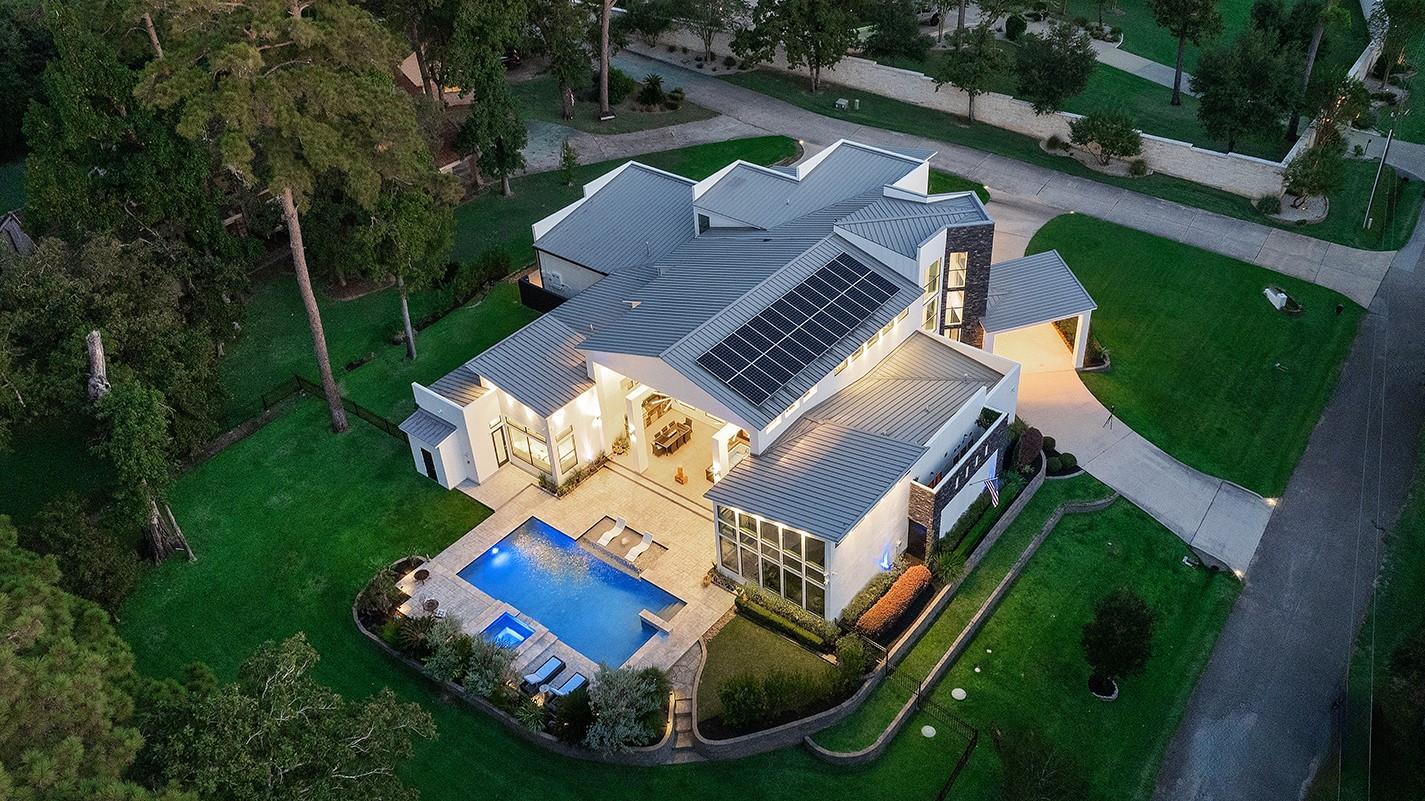
Your Home Is Smart. Make Sure the Sale Is Too.
How Do You Sell a Smart Home in The Woodlands Without Making the Technology More Complicated Than the House?
The buyer walks through the home.
They notice:
Smart thermostat.
Exterior cameras.
Automated lighting.
Whole-home generator.
EV charger.
Motorized shades.
Leak sensors.
Maybe a smart water shutoff.
Maybe integrated speakers.
Maybe a pool-control system.
The seller thinks:
“These features should make the house more valuable.”
They can absolutely make the property more appealing.
But then the questions begin.
Does the generator power the whole house?
Does the EV charger stay?
Do the cameras require a subscription?
Who owns the security equipment?
Can the thermostat account be transferred?
Are the speakers included?
Does the water shutoff work without internet?
What happens if the manufacturer stops supporting the app?
Can the buyer use a different service provider?
Suddenly, “smart home” starts sounding less convenient.
The solution is not to remove the technology.
It is to make it understandable.
Start With an Inventory of Every Smart Feature
Before listing, write down what is actually installed.
Possible categories include:
Thermostats.
Security cameras.
Alarm equipment.
Smart locks.
Doorbells.
Lighting controls.
Motorized shades.
Garage controls.
Water monitoring.
Smart shutoff.
Generator monitoring.
Pool automation.
Irrigation controls.
EV charging.
Built-in audio.
Networking equipment.
You may be surprised by how much technology has accumulated over the years.
Decide What Conveys Before Marketing
This is critical.
If your listing photography shows:
Cameras.
Wall-mounted televisions.
Speakers.
Charging equipment.
Control panels.
buyers may assume some or all of it stays.
Discuss with your real estate professional which items are:
Fixtures.
Personal property.
Excluded.
Negotiable.
Do not wait until contract negotiations to decide.
Mounted Does Not Always Mean Obvious
A wall-mounted device may feel permanent to the buyer.
The seller may think:
“I planned to take that.”
That can create friction.
Clarify exclusions early.
Smart Thermostats Are Usually Easy to Understand
Buyers generally recognize products such as:
Ecobee.
Nest.
Other smart thermostats.
But still verify:
Model.
Number of units.
Account-transfer process.
Whether additional sensors convey.
Do not simply say:
“Smart HVAC.”
Describe the actual equipment.
Do Not Promise Energy Savings
A smart thermostat may support:
Scheduling.
Remote control.
Temperature monitoring.
But buyer savings depend on:
Usage.
Home size.
HVAC efficiency.
Weather.
Rates.
Thermostat settings.
Avoid claims such as:
“Cuts electric bills by 20%.”
unless you have reliable substantiation appropriate to that specific statement.
Remote Access Can Be the Stronger Selling Point
For many buyers, the benefit is:
Adjust temperature before arriving home.
Check settings while traveling.
Receive certain system alerts.
That is concrete functionality.
Smart Locks Need a Reset Plan
Before closing:
Remove old access codes.
Transfer ownership where applicable.
Reset administrator credentials.
Provide basic instructions.
The buyer should not receive a smart lock still connected to:
Seller phone.
Old guests.
Contractors.
Do Not Leave Your Account Connected After Closing
This applies to:
Locks.
Cameras.
Thermostats.
Security systems.
Garage doors.
Pool automation.
Privacy matters for both seller and buyer.
Plan digital transfer like you plan key transfer.
Video Doorbells Need Subscription Clarity
The device may stay.
The recording plan may not.
Buyer should understand:
Hardware conveys?
Subscription required?
Account transfer possible?
Do not advertise:
“24/7 recording included”
unless the service itself actually transfers.
Security Cameras Can Be Valuable—but Also Sensitive
Buyers may appreciate:
Perimeter visibility.
Remote monitoring.
Existing wiring.
But they may also wonder:
Are recordings stored?
Does seller still have access?
Are indoor cameras present?
The transition should be handled carefully.
Indoor Cameras Should Be Removed or Disconnected Appropriately for Showings
Showings create privacy issues.
Coordinate with your real estate professional regarding recording devices and applicable laws or disclosure requirements.
Do not make buyers feel watched unnecessarily.
Security Features Are Not Safety Guarantees
Never market:
“Safe because of cameras.”
or:
“Secure neighborhood.”
Describe:
Camera system.
Alarm.
Gate.
Lighting.
Physical equipment.
Let buyers evaluate safety independently.
Alarm Systems May Involve Contracts
If the property uses a monitored alarm, determine:
Is equipment owned?
Leased?
Financed?
Is there a remaining contract?
Can service transfer?
Buyer may want the hardware but choose another provider.
Do Not Assume the Buyer Wants Your Alarm Company
Your service relationship is personal.
The buyer may choose:
Another provider.
Self-monitoring.
No monitoring.
Make sure hardware ownership is understood.
Whole-Home Generators Can Be a Major Selling Feature
In Texas, buyers may value backup-power capability.
If the property has a generator, organize:
Brand.
Model.
Installation year.
Rated capacity.
Fuel type.
Service history.
Transferable warranty if verified.
Automatic-transfer switch information.
The more accurate the information, the easier the feature is to evaluate.
“Whole-Home Generator” Needs Verification
This phrase is often used loosely.
Does it actually support:
Every circuit?
Selected circuits?
Most major systems?
Load management?
Check the system specifications.
Do not promise more than it was designed to provide.
Generator Capacity Is Not the Same as Guaranteed Runtime
Runtime can depend on:
Fuel availability.
Load.
Maintenance.
Weather.
System condition.
Do not say:
“The house can run indefinitely during an outage.”
That is not supportable.
Service the Generator Before Listing if Needed
If it has not been serviced recently, consider appropriate maintenance.
Buyers may ask:
When was oil changed?
Battery replaced?
System tested?
A premium feature should appear cared for.
Keep Generator Records
Useful information may include:
Installation invoice.
Permit records where applicable.
Service reports.
Warranty.
Fuel information.
Transfer paperwork.
This can make the feature feel much less complicated.
Generator Monitoring Can Be Valuable
Some systems allow remote monitoring.
If yours does, describe what the system actually supports.
Do not imply remote monitoring means:
Automatic repair.
Guaranteed startup.
It is a monitoring feature.
EV Charging Is Increasingly Relevant
If the garage has a professionally installed EV charger, buyers may value:
Convenience.
Existing electrical setup.
Reduced need for immediate installation work.
Document:
Brand.
Circuit.
Installation year.
Whether charger conveys.
Do not guess at charging speed.
Outlet vs. Charger Should Be Distinguished
A 240-volt outlet is not the same as:
Dedicated wall charger.
If you have only the outlet, say so.
Accuracy matters.
Do Not Promise Compatibility With Every EV
Connector standards.
Adapters.
Charging capacity.
Vehicle capability.
can differ.
Provide the installed equipment specifications.
Let the buyer confirm compatibility.
Electrical Capacity May Be a Buyer Question
An EV charger can lead buyers to ask about:
Panel size.
Subpanel.
Electrical upgrades.
If meaningful work was completed, organize:
Electrician invoice.
Permit information where applicable.
Do not claim the home's electrical system can support unlimited future expansion.
Solar Plus EV Charging Needs Careful Marketing
If the home also has solar, it may be tempting to say:
“Charge your car for free.”
Avoid that.
Actual electricity economics depend on:
Solar production.
Household use.
Utility plan.
Vehicle use.
Battery.
Rates.
Market the physical systems separately.
Smart Water Shutoff Can Be a Strong Feature
Especially for buyers who:
Travel.
Own multiple homes.
Want remote monitoring.
If installed, document:
Brand.
Year.
Basic function.
App requirements.
Do not promise that it prevents every leak.
Leak Sensors Can Add Confidence
Devices placed near:
Water heaters.
Laundry.
Sinks.
Mechanical rooms.
can alert users under certain conditions.
Again:
Monitoring.
Not guarantee.
Water Monitoring Systems Need Account Transfer
Some systems require:
Cloud account.
Subscription.
Wi-Fi.
Make sure the buyer knows what is necessary to keep functionality.
Motorized Shades Can Be Surprisingly Valuable
Especially in homes with:
Large windows.
Two-story spaces.
Strong afternoon sun.
If the home has automated shades, buyers may appreciate:
Convenience.
Light control.
Privacy.
But check that:
All motors work.
Remotes are present.
Controls function.
Broken Smart Features Feel Worse Than No Smart Features
A manual shade works.
A motorized shade that will not move becomes:
Repair.
Technology problem.
Unknown cost.
Test everything before listing.
Smart Lighting Should Be Simple to Demonstrate
If buyers cannot turn on the lights because:
Switch requires app.
Scene is misconfigured.
Hub disconnected.
the home feels less functional.
Leave normal physical controls working where possible.
Smart Home Should Still Work Like a Home
This is an important seller rule.
The buyer should not need:
Your phone.
Your account.
A 20-minute tutorial.
just to turn on the living-room lights.
Convenience should remain convenient.
Voice Assistants Are Usually Personal Property
Alexa.
Google devices.
HomePod.
may contain:
Accounts.
Messages.
Personal data.
Do not assume they should convey.
If built-in smart-home functionality depends on a voice assistant you are taking, the buyer needs to know.
Built-In Speakers Are Different
Ceiling or wall speakers may be fixtures.
But the receiver or amplifier may be:
Personal equipment.
Part of the system.
Clarify the complete audio setup.
Integrated Audio Should Work During Showings if It Is a Feature
A buyer may ask for demonstration.
Know:
How to turn it on.
Which zones work.
What equipment is required.
Do not market:
“Whole-home audio”
if only two rooms still function.
Home Theaters Need Equipment Clarity
Projector.
Screen.
Speakers.
Receiver.
Control system.
Seating.
Which items stay?
A highly equipped media room can create disputes if the listing photo implies the entire setup conveys.
Pool Automation Is Particularly Useful
If the home has a pool, smart controls may allow:
Pump scheduling.
Lighting.
Spa control.
Heating functions.
Remote access.
This can make pool ownership easier.
But verify what the system actually supports.
Do Not Promise Remote Pool Control Forever
Apps.
Servers.
Manufacturers.
can change.
Describe current functionality.
Not permanent future support.
Irrigation Controls Can Be Smart Too
A modern controller may support:
Scheduling.
Weather-based adjustments.
Remote access.
That can be practical on larger Woodlands lots.
But do not promise water savings.
Smart Irrigation Still Requires Working Sprinklers
The controller can be new while:
Heads are broken.
Zones leak.
Coverage is poor.
Test the underlying system.
Garage-Door Smart Controls Need Transfer
Buyers may want:
Remote opening.
Delivery access.
Notifications.
Reset:
User accounts.
Codes.
Old phones.
before closing.
Built-In Wi-Fi Systems Can Matter in Larger Homes
Mesh systems.
Access points.
Structured wiring.
Ethernet.
may improve connectivity.
If equipment is permanently installed, document what conveys.
Do Not Promise Internet Speed
Internet performance depends on:
Provider.
Plan.
Equipment.
Network configuration.
Number of devices.
Provide current service information where useful.
Let buyers verify options.
Structured Wiring Can Be More Valuable Than the Router
Ethernet runs.
Network cabinet.
Coax.
Low-voltage wiring.
These remain useful even when technology changes.
If your home has a strong wiring infrastructure, highlight it.
Do Not Remove Important Networking Equipment Without Understanding the System
A seller may unplug:
Router.
Switch.
Access-point controller.
and suddenly:
Cameras.
Thermostats.
Pool.
Lighting.
stop working.
Know what depends on what.
Create a Technology Map
It can be simple.
Internet
Modem/router location.
Security
Cameras and alarm panel.
Climate
Thermostats.
Lighting
Smart switches or hub.
Water
Sensors and shutoff.
Outdoor
Pool and irrigation.
Garage
EV charger and opener.
Backup Power
Generator.
This can make a complex home much easier to understand.
Smart Systems Should Have a Closing Checklist
Before closing:
Remove seller accounts.
Reset devices appropriately.
Transfer ownership.
Provide manuals.
Leave necessary hubs.
Remove personal data.
Provide passwords only through a secure appropriate process when necessary.
The exact process varies by manufacturer.
Do Not Hand the Buyer Your Personal Passwords
Set up:
Device ownership transfer.
New administrator account.
Factory reset where appropriate.
Your primary email password should never become part of the real estate transaction.
Manuals Can Be Digital
Create a folder with:
Device names.
Manufacturer links.
Model numbers.
Warranty information.
Transfer instructions.
This is much more useful than a drawer of random paper manuals.
Label Equipment
In the mechanical or network area, labels can help identify:
Security hub.
Network switch.
Pool controller.
Irrigation.
Smart water valve.
Generator monitor.
A buyer should not have to trace wires.
Technology Ages Faster Than the House
A smart-home system installed ten years ago may be:
Functional.
But no longer current.
Do not market age as innovation.
Specific dates help.
Older Technology Can Still Have Value
Built-in wiring.
Automated shades.
Generator.
EV circuit.
Security infrastructure.
may remain useful even when the original app is older.
Evaluate:
Function.
Support.
Transferability.
Obsolete Systems Can Become a Liability
A complicated proprietary automation system that:
No longer has support.
Requires outdated hardware.
has broken controls.
may worry buyers.
Determine whether:
Repair.
Simplification.
Removal.
makes more sense before listing.
Simpler Can Be Better
If a legacy system is confusing, a seller may benefit from updating key controls to something more intuitive.
But do not launch a huge technology renovation solely to sell.
Focus on high-impact functionality.
Test Every Smart Feature Before Photography
Thermostats.
Lighting.
Shades.
Pool.
Locks.
Cameras.
Generator status.
A beautiful smart-home feature that fails during showing can damage confidence.
Use the “Would a Stranger Know How to Use This?” Test
Invite someone unfamiliar with the house.
Can they:
Turn lights on?
Open door?
Adjust thermostat?
Use shades?
If not, simplify where possible.
Use the “What Dies When the Wi-Fi Goes Down?” Test
Some devices may lose remote access but retain local function.
Others may become unusable.
Know the difference.
Buyers may ask.
Use the “What Requires a Subscription?” Test
Security.
Cloud video.
Monitoring.
Smart-home services.
Identify them.
Do not advertise subscription-based functionality as permanently included.
Use the “What Stays?” Test
Create a written inventory before listing.
For every device:
Stays.
Removed.
Negotiable.
This prevents misunderstanding.
Use the “What Contains Personal Data?” Test
Cameras.
Doorbells.
Voice assistants.
Network storage.
Smart displays.
Before closing, remove:
Recordings.
Accounts.
Personal information.
Privacy should be treated seriously.
Use the “What Would Be Expensive to Replace?” Test
Generator.
Motorized shades.
Built-in speakers.
EV electrical work.
Smart water shutoff.
These may deserve special attention in the improvement sheet.
Use the “What Is Just a Gadget?” Test
Not every $50 smart plug belongs in the listing.
Focus on features that materially improve:
Convenience.
Monitoring.
Backup capability.
Home function.
Smart Features Should Support the Home’s Core Value
The technology is not the property.
The buyer is still purchasing:
Location.
Lot.
Trees.
Floor plan.
Condition.
The smart systems should strengthen that package.
Do Not Price Based on Gadget Cost
Seller says:
“We spent $40,000 on automation.”
That does not automatically add $40,000 to market value.
Technology can depreciate quickly.
Market contribution depends on:
Function.
Age.
Buyer demand.
Integration.
Durable Infrastructure May Matter More
A professionally installed:
Generator.
EV circuit.
Structured wiring.
Whole-home water shutoff.
may have more lasting functional relevance than temporary consumer electronics.
Compare Smart Homes Carefully
When reviewing comparables, ask:
Did the competing home actually have similar permanent systems?
Or only:
Smart thermostat and doorbell?
Not all “smart homes” are equivalent.
Appraisal May Not Assign Specific Dollar Value to Every Technology Feature
Do not assume:
Generator = exact premium.
EV charger = exact premium.
Automation = exact premium.
The appraisal evaluates the complete property and available market evidence.
Documentation Still Helps
A concise improvement sheet can show:
Generator — installed 2023.
EV charger — installed 2025.
Smart water shutoff — 2024.
Motorized shades — 2022.
Pool automation — 2024.
Use actual dates.
Insurance Questions May Come Up
Generator.
Security system.
Water shutoff.
may affect insurance conversations in various ways.
Do not promise discounts.
The buyer should ask their insurance professional.
“Insurance Discount” Is Not a Safe Marketing Claim Without Verification
Even if your carrier gave you one.
Different buyers and carriers may treat features differently.
Provide physical system information instead.
Security-System Discounts Can Vary
Again:
Historical seller experience is not future buyer outcome.
Avoid guarantee language.
Smart Water Systems Can Be Attractive to Second-Home or Frequent Travelers
Without targeting a demographic, you can describe the practical benefit:
Remote monitoring.
Automatic shutoff capability.
Alerts.
That may appeal to buyers who are often away.
Technology Can Help an Established Home Compete With Newer Construction
An older Woodlands home may offer:
Mature lot.
Premium location.
Renovation.
Plus updated technology.
That combination can be powerful.
The buyer gets:
Established environment.
Modern convenience.
But Technology Cannot Hide Deferred Maintenance
Smart thermostat plus:
Old HVAC.
Cameras plus:
Old roof.
EV charger plus:
Electrical problems.
Buyers still evaluate the fundamentals.
Core condition comes first.
Do Not Install Technology Instead of Fixing the House
If your budget is limited:
Repair leak.
Fix HVAC.
Address roof issue.
before buying another smart gadget.
Technology should add convenience, not distract from maintenance.
Photography Should Not Over-Focus on Devices
A thermostat close-up is not usually your hero image.
The house should still dominate.
Use technology images selectively.
Generator Photography Can Be Useful in Supporting Marketing
One clear exterior or equipment image may help show:
Installation.
Condition.
Brand.
But do not give it five gallery positions.
EV Charger Should Be Visible in Garage Photography
If garage is photographed, include the charger naturally.
This communicates function without turning the listing into an electrical-equipment brochure.
Video Can Demonstrate Technology Briefly
A property video might show:
Motorized shades opening.
Pool lights.
Outdoor lighting.
But avoid a long tutorial.
The lifestyle should remain primary.
Listing Copy Should Be Specific
Weak:
“Fully smart home!”
Stronger:
“Features include app-enabled thermostats, motorized shades, exterior cameras, pool automation, a smart water shutoff, EV charging, and a professionally installed standby generator.”
when accurate.
Specificity beats buzzwords.
Avoid “Fully Automated”
Unless the property truly is.
Most homes contain a mix of:
Smart.
Manual.
Traditional.
Do not exaggerate.
Avoid “State-of-the-Art” Unless You Can Defend It
Technology changes quickly.
“Updated smart-home features”
is often safer than:
“State-of-the-art automation.”
Buyer Training Can Be Part of a Smooth Closing
For complex systems, the seller may offer a simple walkthrough before possession where appropriate.
Explain:
Generator.
Pool.
Shades.
Water shutoff.
Basic technology.
Do not overwhelm.
A One-Page Quick-Start Guide Can Help
Include:
Thermostat app.
Generator monitor.
Pool controller.
Water shutoff.
Garage app.
Network basics.
The buyer can explore details later.
Vendors Can Be Useful
If you have professionals who installed or service:
Generator.
Automation.
Security.
Pool.
provide their contact information.
Do not guarantee continued availability.
Warranty Information Should Be Organized
Generator.
Shades.
EV charger.
Water system.
Pool automation.
If warranties exist, verify:
Remaining term.
Transferability.
Requirements.
Do not say:
“Still under warranty”
without checking.
Manufacturer Support Can Change
Even a transferable warranty may depend on the manufacturer remaining operational.
Do not guarantee indefinite technology support.
The Goal Is Buyer Confidence, Not Technological Impressiveness
The buyer should think:
“These systems make life easier.”
Not:
“Who am I going to call when all of this stops working?”
Clarity creates that difference.
Create a Woodlands Smart-Home Seller Scorecard
Before listing, verify:
Generator
Brand, capacity, year, service history, and what it powers?
EV Charging
Charger or outlet, installation year, and what conveys?
Thermostats
Models, number, and transfer process?
Security
Owned equipment, subscriptions, and account removal?
Cameras
What stays and how are recordings handled?
Locks
Transfer and reset process understood?
Water Monitoring
Sensors and shutoff documented?
Pool Automation
Functional and transferable?
Irrigation
Smart controls working?
Shades
Motors, remotes, and control system functional?
Audio
Which built-in components stay?
Network
What infrastructure remains?
Subscriptions
Any required ongoing services identified?
Personal Data
Removal and resets planned?
Warranties
Transferability verified?
Photography
Technology shown without overpowering the home?
Marketing Claims
No unsupported savings, safety, or reliability promises?
Pricing
Are smart features being treated as part of the complete property rather than dollar-for-dollar investments?
Now the technology becomes an understandable benefit.
Final Thoughts
Smart-home technology can make a Woodlands property feel more current, convenient, and prepared for modern life.
A buyer may appreciate:
Backup power.
Remote temperature control.
EV charging.
Water monitoring.
Security cameras.
Motorized shades.
Pool automation.
But technology only strengthens a sale when buyers understand:
What it does.
What stays.
What requires a subscription.
What must be transferred.
What needs an app.
And what is simply a convenience rather than a guarantee.
So before listing:
Inventory the systems.
Test them.
Decide what conveys.
Organize warranties.
Service the generator.
Reset personal accounts at the appropriate time.
Prepare transfer instructions.
And remove unsupported claims about:
Energy savings.
Insurance discounts.
Security.
Backup duration.
Future technology support.
Because the buyer should leave the showing thinking:
“This home makes everyday life easier.”
Not:
“This house comes with seventeen passwords and a technology problem.”
When the systems are documented, functional, and easy to understand, smart-home features can do exactly what they are supposed to do:
Make an established Woodlands property feel even more comfortable, convenient, and ready for its next owner.
Frequently Asked Questions
Do smart-home features increase the value of a Woodlands home?
They can improve convenience and buyer appeal, but there is no automatic dollar-for-dollar value increase. Market contribution depends on the type of feature, age, condition, integration, and buyer demand.
Is a whole-home generator a good selling feature?
It can be. Sellers should provide accurate capacity, fuel, installation, service, and transfer information rather than promising unlimited backup power.
Should an EV charger stay with the home?
That depends on the specific equipment and transaction. Decide what conveys before listing and reflect it accurately in the contract and marketing.
Can I tell buyers smart thermostats will lower their electric bill?
Avoid guaranteeing savings. Actual energy use depends on HVAC efficiency, weather, utility rates, home size, and buyer behavior.
Should security cameras remain with the home?
If they are included, clarify hardware ownership, subscription requirements, account transfer, and removal of seller recordings and personal access before closing.
Can I advertise my home as safer because it has an alarm system?
No. Describe the installed security equipment factually without making guarantees regarding crime or safety.
What should I do with smart-home accounts before closing?
Follow each manufacturer’s transfer or reset process, remove seller access and personal data, and provide the buyer with appropriate setup instructions without sharing personal passwords.
Does a smart water shutoff guarantee there will never be water damage?
No. It may provide monitoring and certain shutoff capabilities, but no system eliminates every potential leak or water-loss event.
Should I include smart-home equipment on an improvement list?
Yes, especially significant permanent features such as a generator, EV charging, motorized shades, pool automation, structured networking, or smart water systems. Include accurate installation dates where available.
What's the biggest takeaway?
When selling a smart home in The Woodlands, market convenience—not promises. Make sure the systems work, clarify what conveys, organize transfer and warranty information, remove personal accounts correctly, and help buyers see the technology as an easy benefit rather than another complicated system they have to figure out.